Frequently asked questions
Why might the graph omit a Border Router, look incomplete, or look like a star instead of a mesh?
Thread Doctor currently cannot query Apple Border Routers directly at the Thread level because iOS gates that access behind Apple-approved capabilities.
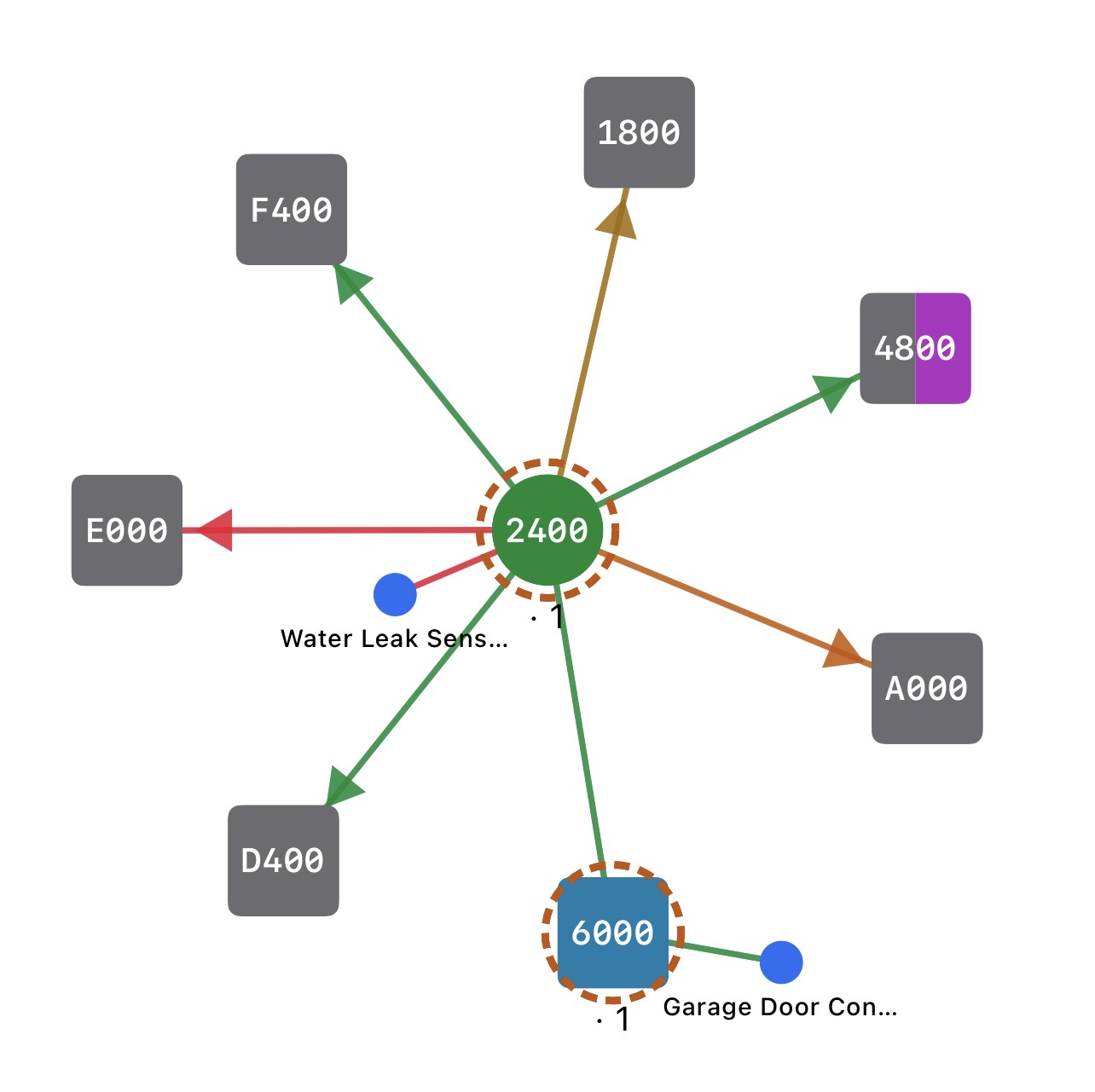
Thread Doctor instead rebuilds the topology from Matter accessories' neighbor, route, and link-quality reports. The map is only as complete as those reports: an unreadable router appears as an unnamed gray square, and a home with few readable devices produces a partial graph. It shows what the mesh reports, not every possible radio connection.
A star-shaped graph usually means limited data, not a star-shaped Thread network. If only one router exposes diagnostics, Thread Doctor can draw the links it reports but not the links between unreadable routers or Border Routers, so everything appears to radiate from that one device. The real router layer is likely more interconnected. Battery-powered end devices are the exception: they normally keep one active parent and legitimately appear as single spokes.
Older HomeKit-over-Thread accessories, such as Eve devices on pre-Matter firmware, are common gray squares. They still route traffic, but the app sees them only through readable neighbors. A vendor-provided Matter update and re-pairing can give them names and full diagnostics.
Why does a scan show no Thread mesh?
- The map is built from what Matter-over-Thread accessories report. Thread Doctor can't query a HomePod or Apple TV directly, so a home without readable Thread accessories has nothing to draw.
- Matter accessories on Wi-Fi are still checked (reachability, Wi-Fi signal), but they never appear in the Thread mesh — they're not part of it.
The app says “No Matter accessories found”
- Check that Thread Doctor is allowed to use HomeKit: iOS Settings → Privacy & Security → HomeKit → Thread Doctor.
- If all your accessories are older HomeKit-only ones with no Matter support, there's nothing for the app to inspect yet.
How much does AI Diagnose cost?
There's no subscription and no markup: you bring your own API key and pay your provider directly. Each Analyze tap is a single request — a few thousand tokens of your mesh data in, a short answer back — which on most current models costs a cent or two. See Anthropic's, OpenAI's, or Google's pricing for exact rates, and pick your model in AI Diagnose → Provider → Model. On iOS 27 and later you can pick Apple Private Cloud instead: free, with a daily limit set by Apple — no key needed.